This page requires javascript to be enabled
1. Assessment
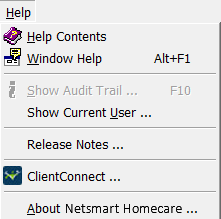
Place your cursor over and click the menu option that opens Homecare Help.
When you verify a visit, it releases the visit for billing and revenue generation purposes.
True
False
If you are working in the Patient component and need to open the Schedule component, you can do so by selecting the Schedule option in the Netsmart Homecare menu.
True
False
Netsmart Homecare has multiple modes for users. Select the statement that best describes the different modes within Netsmart Homecare.
Homecare has three modes: Nurse, Accounting, and Field modes
Homecare has two modes: Nursing and Accounting
Homecare has two modes: Field and Host modes
Homecare has three modes: Server, PC, and Laptop modes
Spelling Checker can be configured to overlook certain words.
True
False
Performing month end informs the system that no additional payments, donations, or adjustments should be posted to the period that is being closed.
True
False
Select the statement that best describes the process for closing a cycle.
Once you view, print, and approve a claim, you can then close the cycle.
Once you approve a claim and then print, you can then close the cycle.
Once you print, and have the physician sign the claim, you can then close the cycle.
You are not required to close a specific claim in order to close the cycle.
What area of the screen displays your current Mode and Business Unit?
Toolbar
Title Bar
Menu Bar
Status Bar
Place your cursor over and click the icon that
deletes
a row.
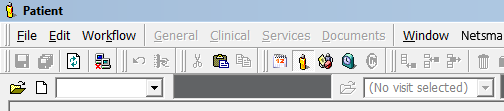
Click the icon on the Patient bar that opens the New Patient dialog window.
In Netsmart Homecare, your system administrator assigns you privileges to the components you require to fulfill your role in the business unit.
True
False
Icons for the My Day, Patient, Resource, and Schedule components are found in which interface element?
Status Bar
Toolbar
Patient bar
Menu bar
#:
1
2
3
4
5
6
7
8
9
10
11
12